

Documentation Index
Fetch the complete documentation index at: https://bigbluebutton.com/docs/llms.txt
Use this file to discover all available pages before exploring further.
If you are a student check out the Student Guide. (If you are an educator, visit the student guide at some point as well.)
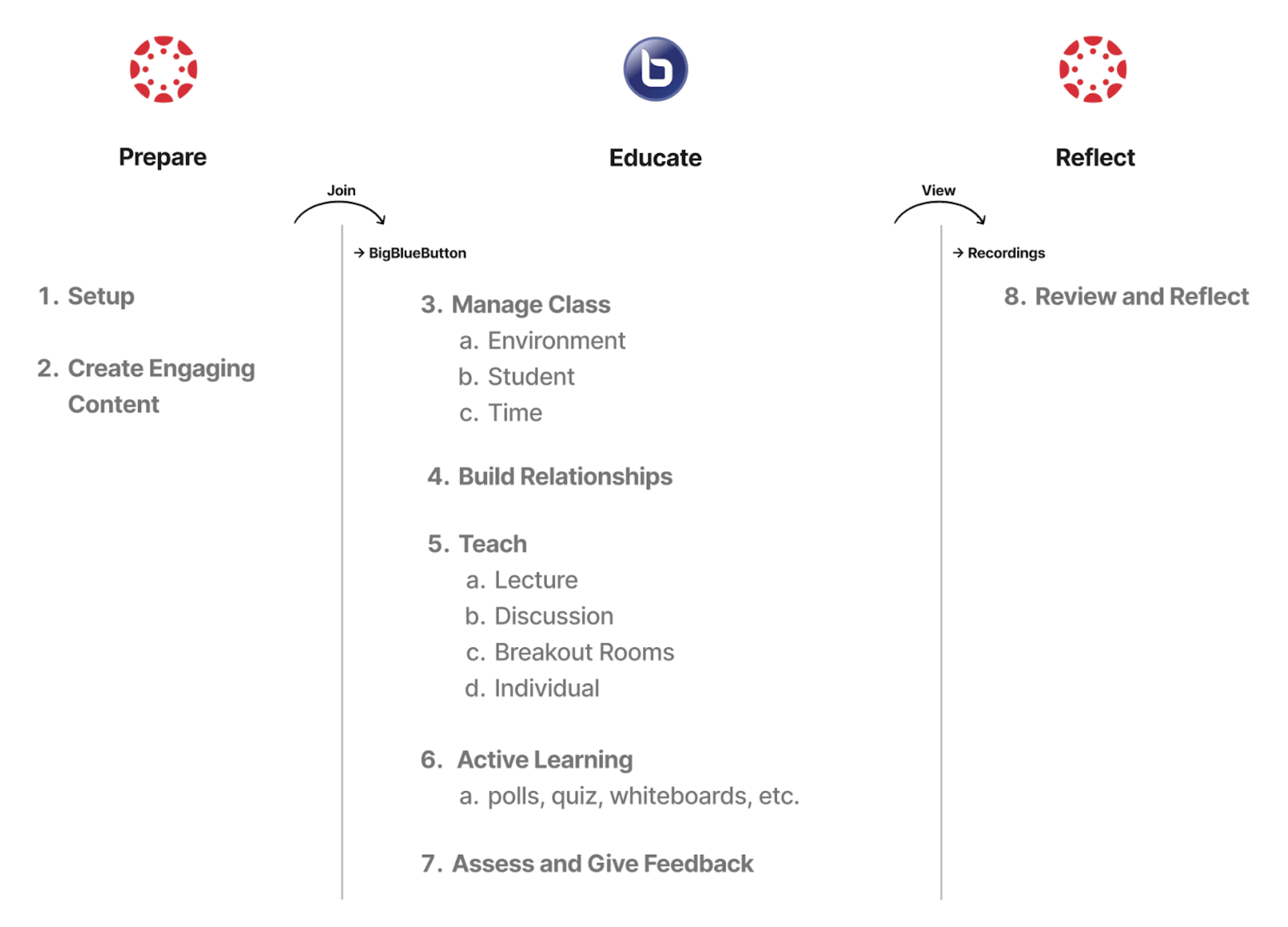
- 1-Prepare
- 2-Teach
- 3-Reflect
Before You Teach
First time checklist to test audio, webcam, and presentations.
Set Up Your Room
Create rooms, configure settings, and invite participants.
Create Engaging Content
Upload presentations and set up Smart Slides for polling.
Communication
| I want to… | Use this tool | Learn more |
|---|---|---|
| Talk to participants | Microphone / Audio | Join the Audio |
| Send a message to everyone | Public Chat | Chat Messages |
| Send a private message | Private Chat | Chat Messages |
| Signal a question | Raise Hand | Raise Hand |
| React quickly | Reactions Bar | Reactions |
| Set my status | Status Indicator | Set a Status |
Presenting Content
| I want to… | Use this tool | Learn more |
|---|---|---|
| Show slides or a PDF | Presentation Upload | Upload a Presentation |
| Show my desktop | Screen Share | Share My Screen |
| Play a YouTube video | External Video | Share External Video |
| Annotate on slides | Whiteboard Tools | Presentation Controls |
| Use my camera as a document cam | Camera as Content | Camera as Content |
Engaging Students
| I want to… | Use this tool | Learn more |
|---|---|---|
| Run a quick poll | Polling | Use Polling/Quizzing |
| Create a one-click poll from slides | Smart Slides | Smart Slides |
| Split into small groups | Breakout Rooms | Create Breakout Rooms |
| Collaborate on text | Shared Notes | Use Shared Notes |
| Draw together | Multi-User Whiteboard | Multi-User Whiteboard |
| Set a countdown | Timer / Stopwatch | Timer and Stopwatch |
Managing the Session
| I want to… | Use this tool | Learn more |
|---|---|---|
| Assign roles | User Management | Roles & Presenter |
| Mute or remove someone | User Management | Manage Users |
| Lock participant features | Lock Settings | Lock Viewers |
| Control who can join | Guest Policy | Guest Policy |
| Record the session | Recording | Start/Stop Recording |
| View engagement data | Learning Analytics | Analytics Dashboard |
Customizing Your Experience
| I want to… | Use this tool | Learn more |
|---|---|---|
| Switch to dark mode | Display Settings | Dark Mode |
| Make webcams bigger | Webcam Controls | Make Webcams Larger |
| Change my background | Virtual Background | Webcam Background |
| Use keyboard shortcuts | Keyboard | Keyboard Shortcuts |
| Change my settings | Options Menu | Access the Options Menu |
LMS integrations
We have dedicated guiles on how to use BigBlueButton in Canvas, Moodle, and Sakai.Canvas
Set up BigBlueButton conferences in Canvas.
Moodle
Create BigBlueButton activities in Moodle.
Sakai
Use BigBlueButton meetings in Sakai.