Documentation Index
Fetch the complete documentation index at: https://bigbluebutton.com/docs/llms.txt
Use this file to discover all available pages before exploring further.
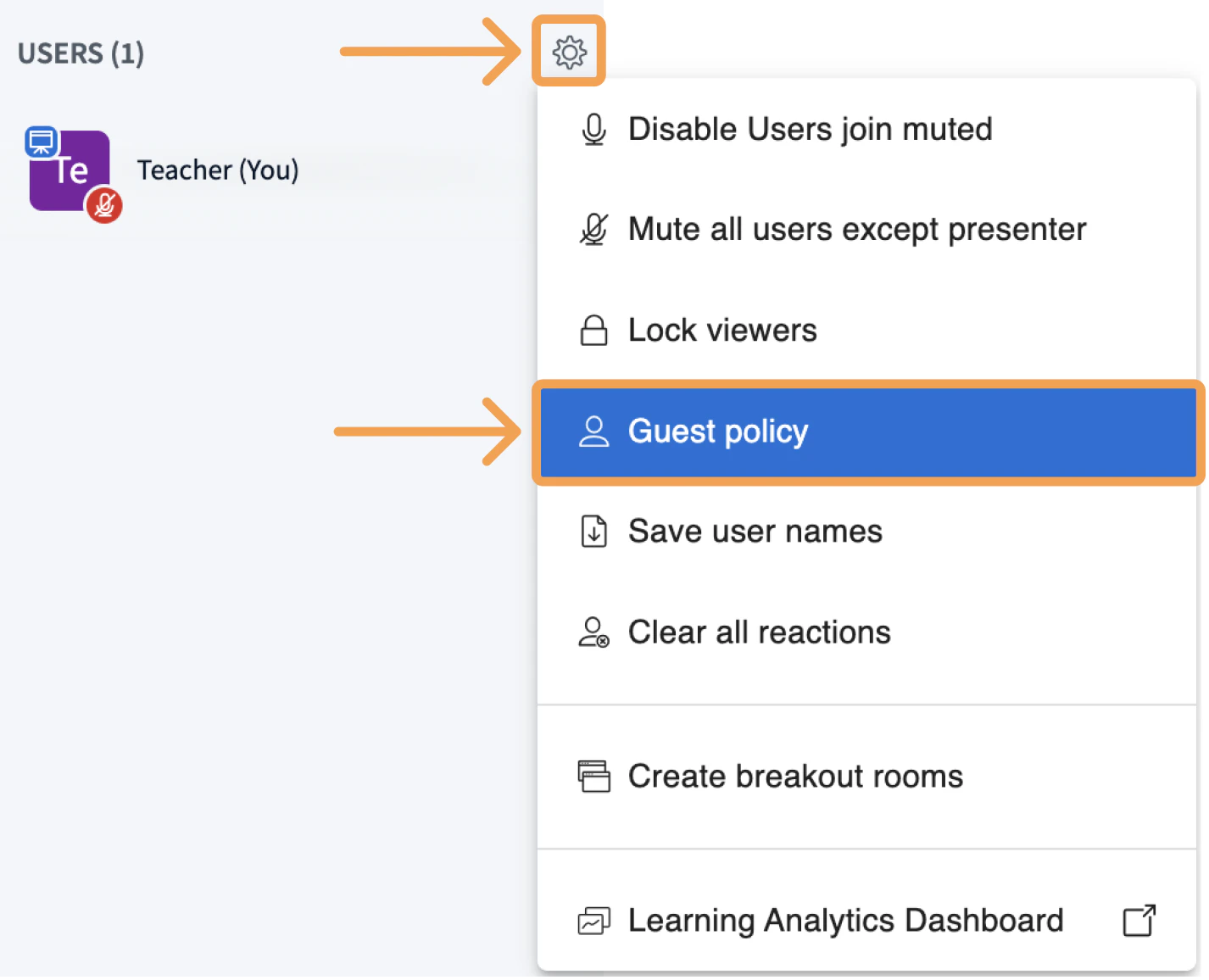
Guest policy determines whether or not users will be allowed to join the meeting. To configure Guest policy, select the cog wheel next to USERS and select Guest policy:
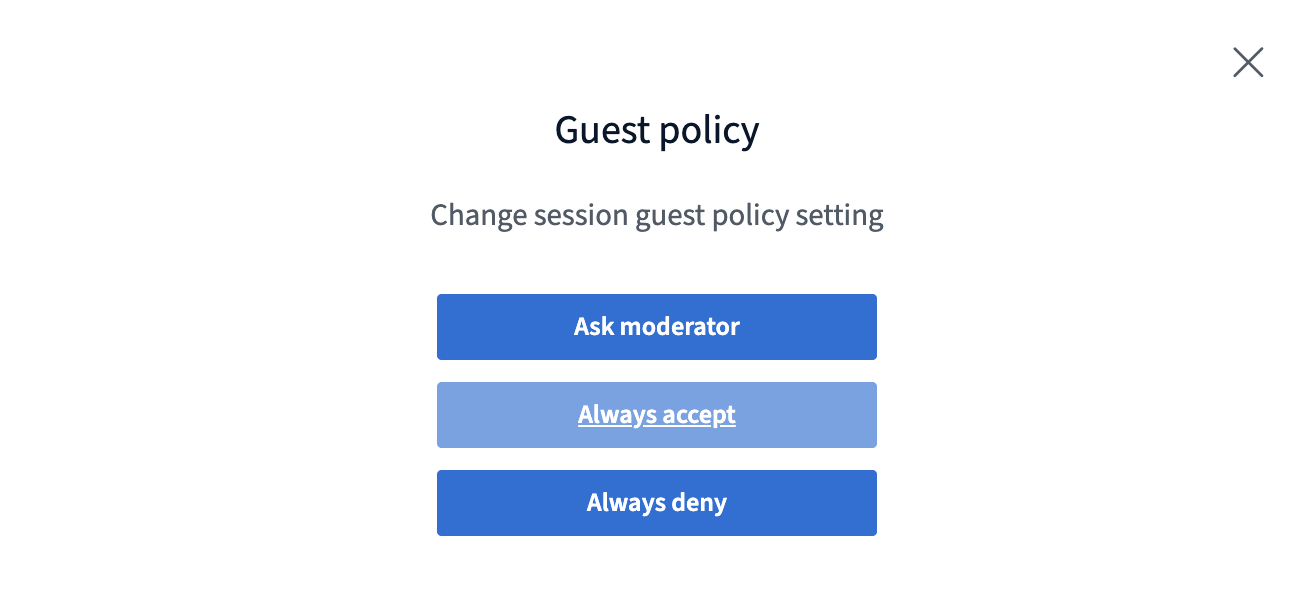
You can select from three options for your guest policy:
Always deny - every user attempting to join will be automatically denied entry
Always accept - every user attempting to join will be automatically allowed entry
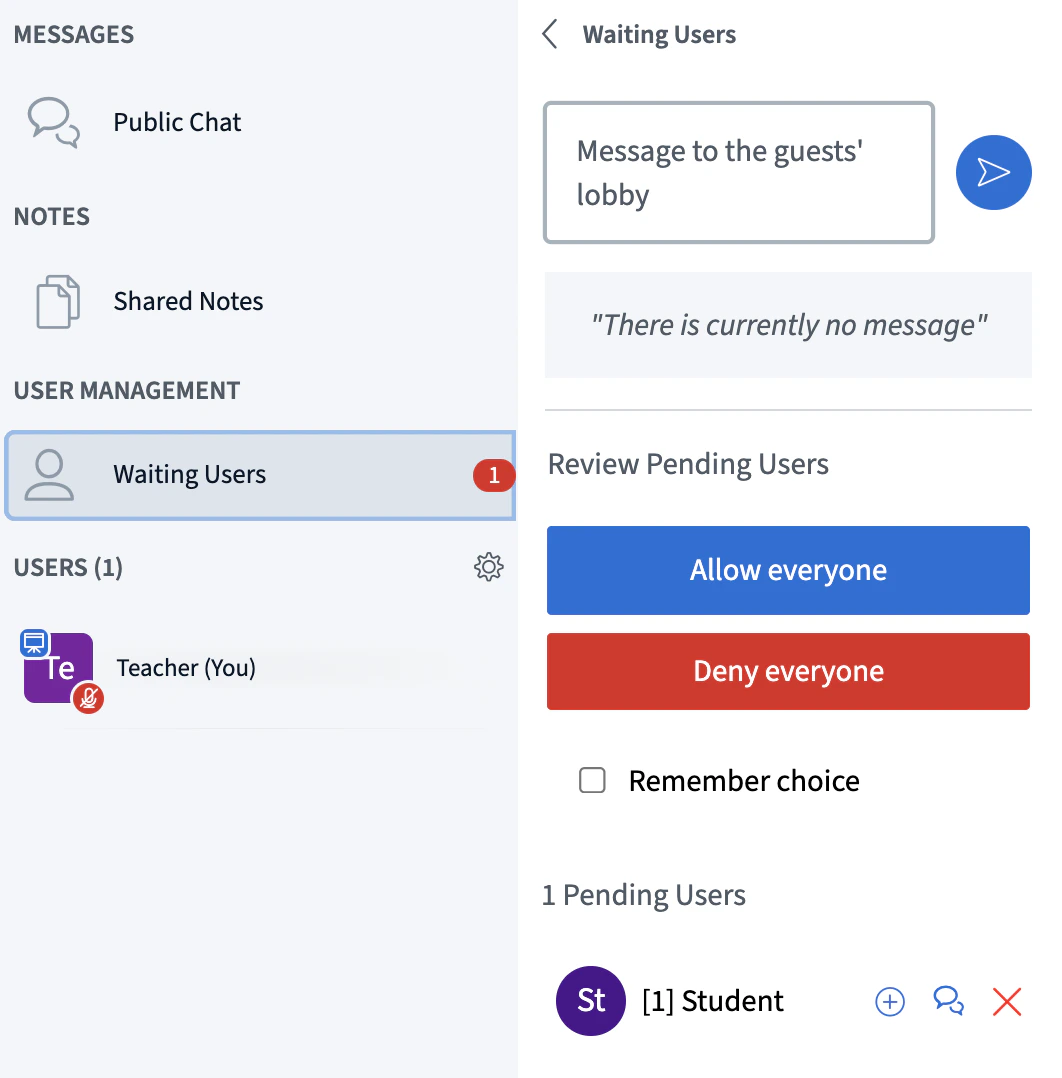
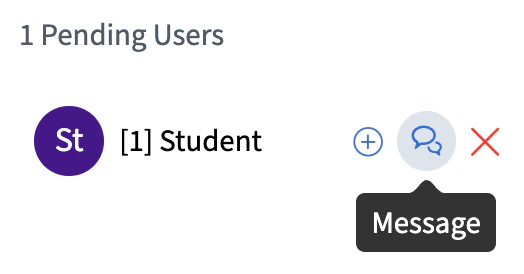
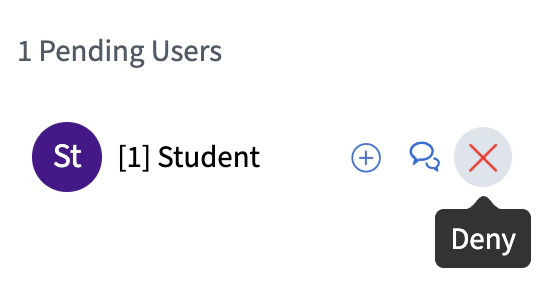
Ask moderator - as users attempt to join, their request is queued in the lobby. Moderators can view pending requests and allow or deny users individually. Moderators can also allow users waiting in the lobby all at once, or deny them all at once. If moderators wish to send a message to users waiting in the lobby, they can do so individually, or to everyone all at once.
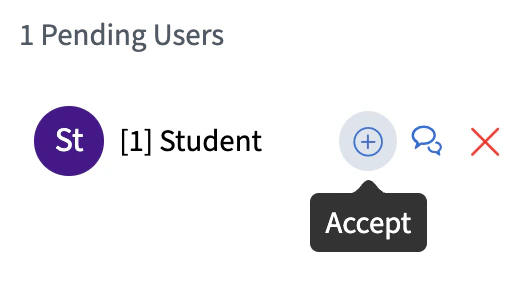
You have three options to select from when managing guests. You can allow them to join the session:
Message the guests while they are waiting in the lobby:
Or deny them from entering the session:
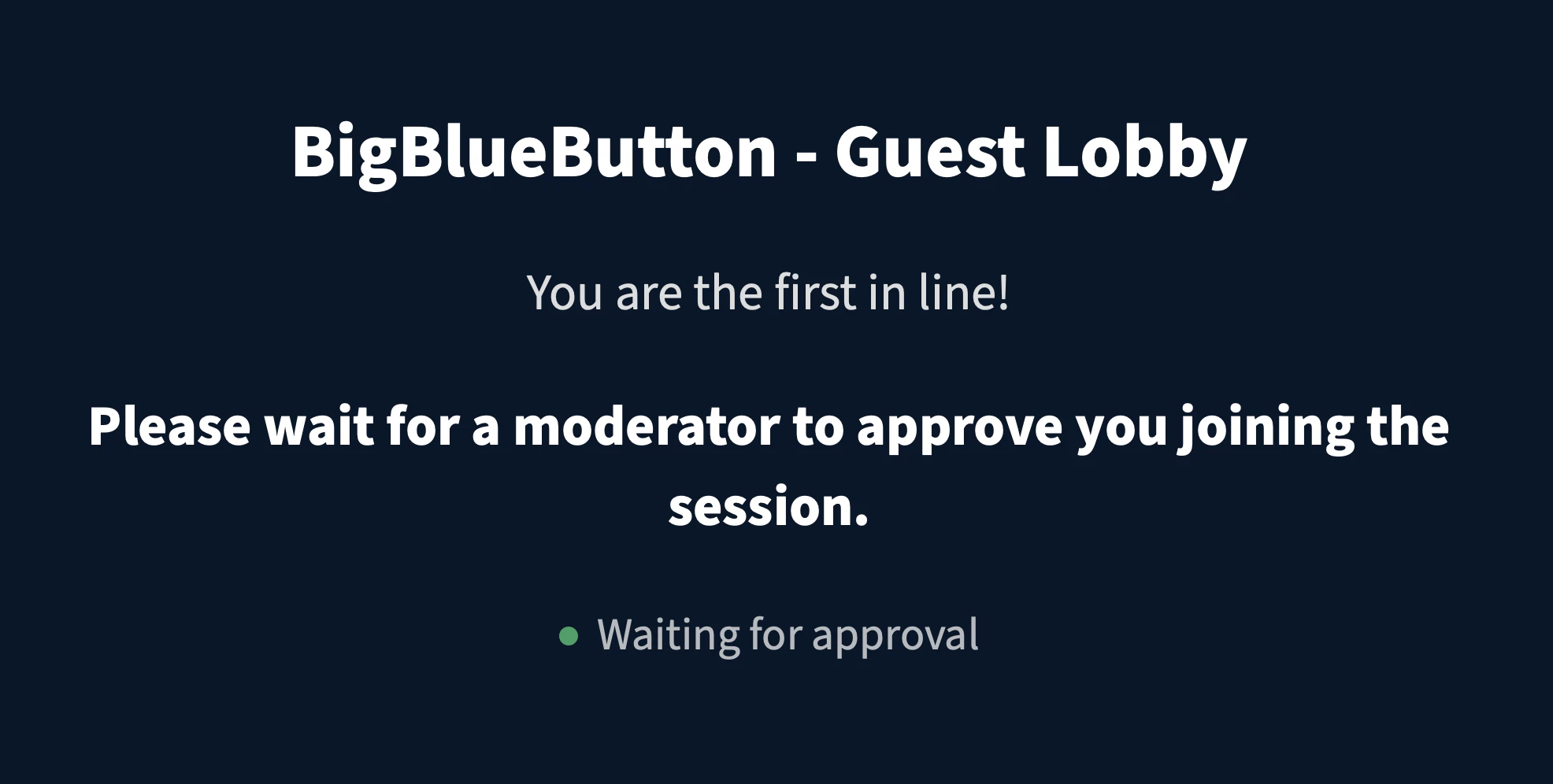
Guests will view the lobby while waiting. They cannot see what’s happening inside the session until they are let in.
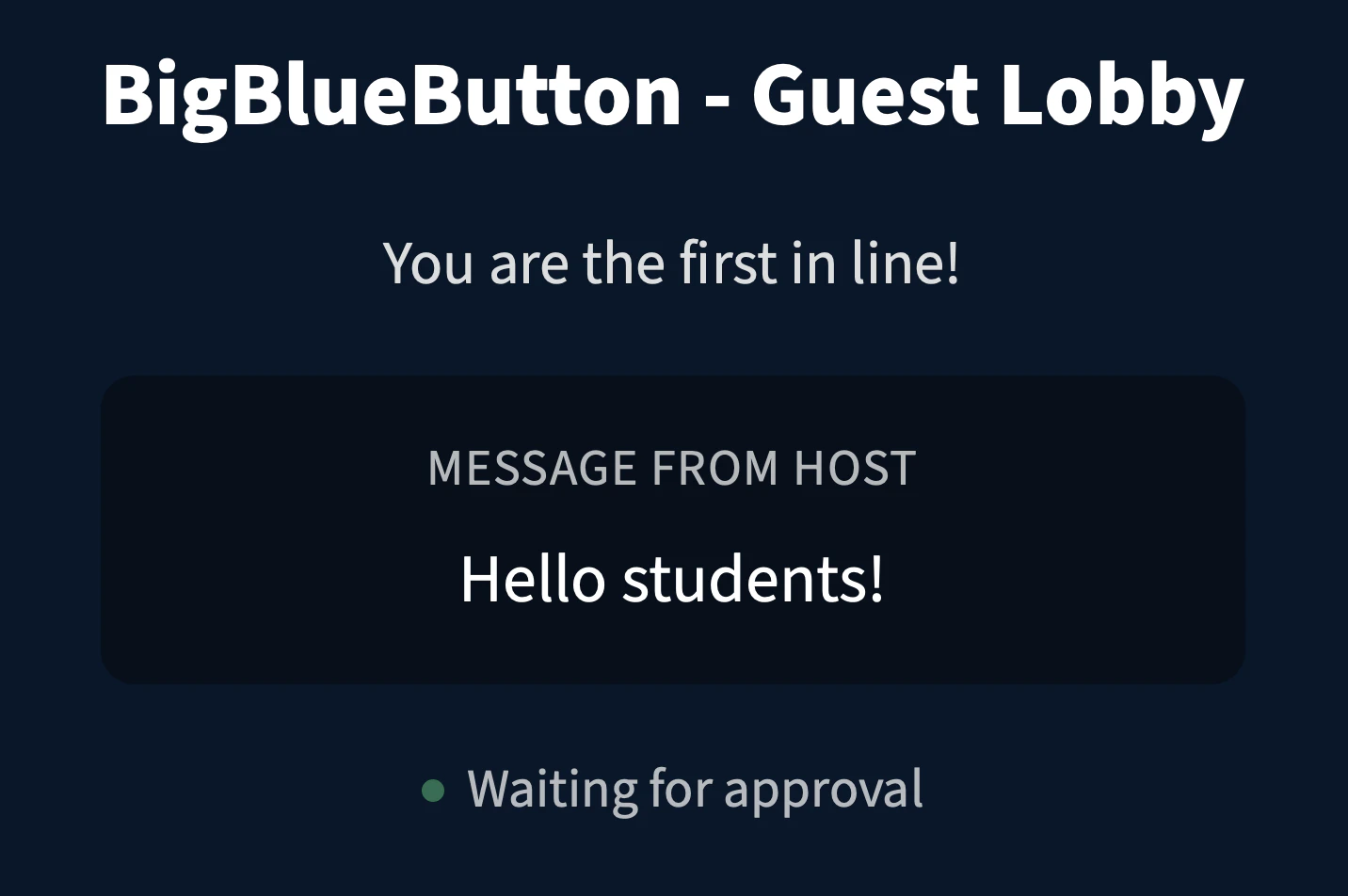
When you send a message to the Guest Lobby, it will appear in the same waiting screen on their view: