Documentation Index
Fetch the complete documentation index at: https://bigbluebutton.com/docs/llms.txt
Use this file to discover all available pages before exploring further.
The multi-user whiteboard is a popular feature in BigBlueButton. In BigBlueButton 2.3, the Per-User Whiteboard was added to help with user engagement and allow instructors to choose an individual user to mark up the presentation.
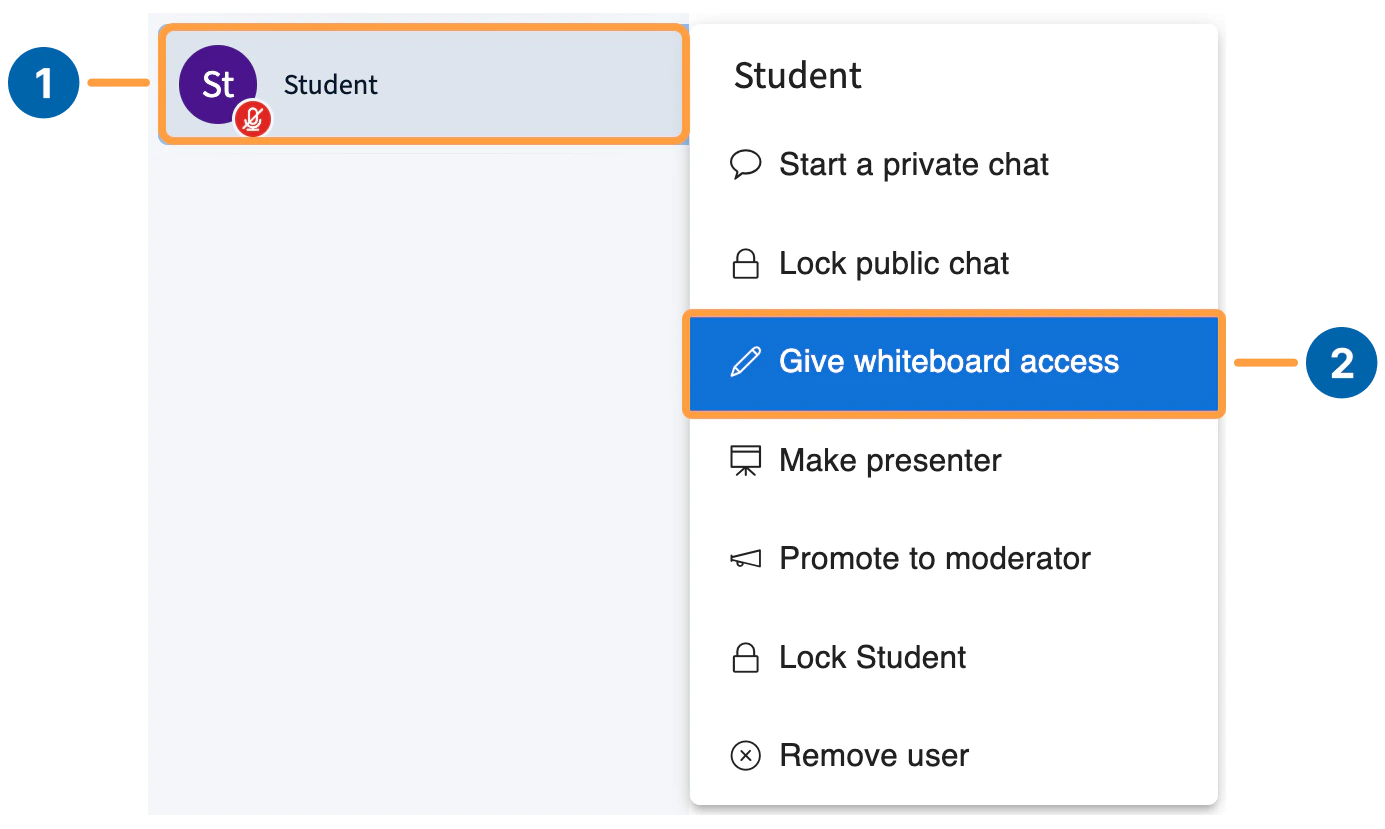
To enable the Per-User Whiteboard, select a user [1] and then select Give whiteboard access [2].
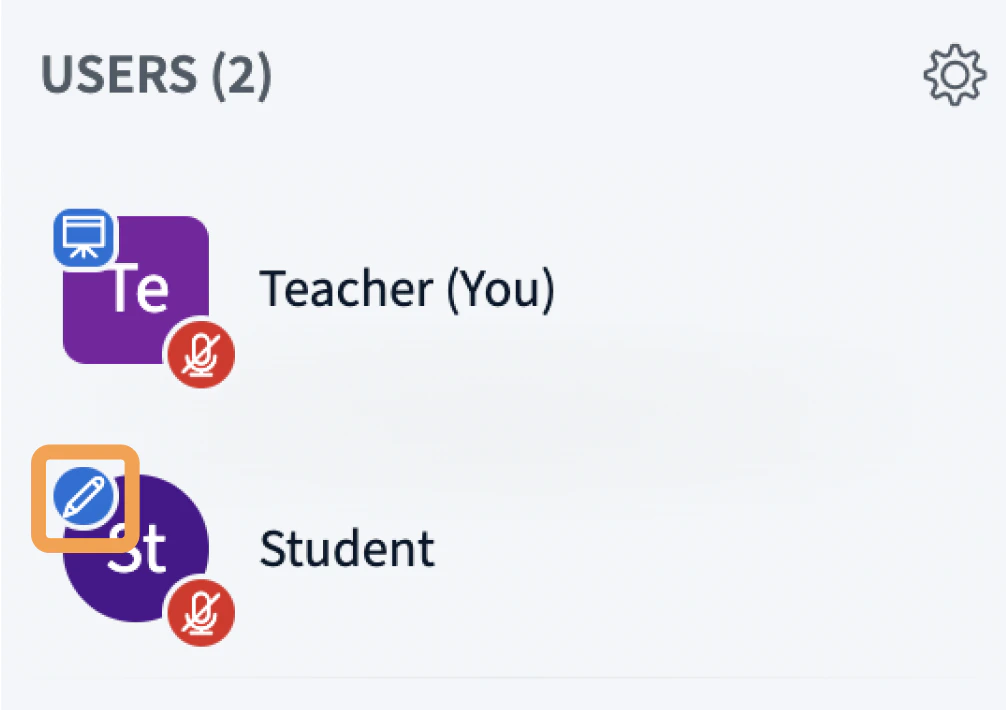
Once you have given an individual user whiteboard access, a pen icon appears next to their avatar.
The user now has all the capabilities outlined in the multi-user whiteboard article.
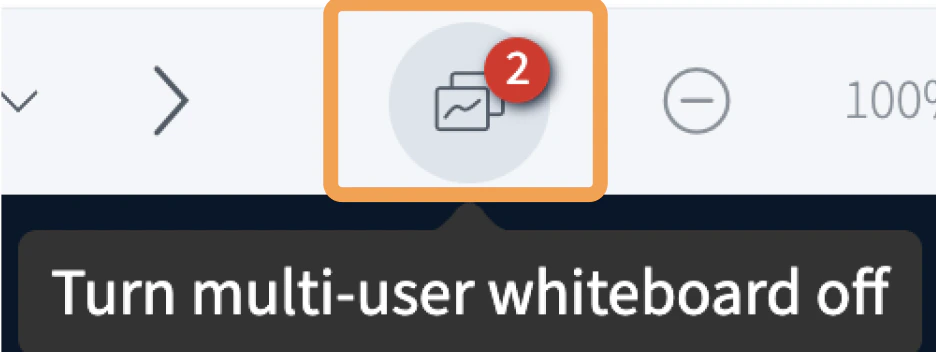
When granting individual whiteboard access, a count will appear on the multi-user whiteboard icon showing you how many students you have granted access to the whiteboard.
How do I remove whiteboard access once it has been granted?
There are two ways to remove whiteboard access.
Clicking the multi-user whiteboard icon [1] removes whiteboard access from everyone except the presenter.
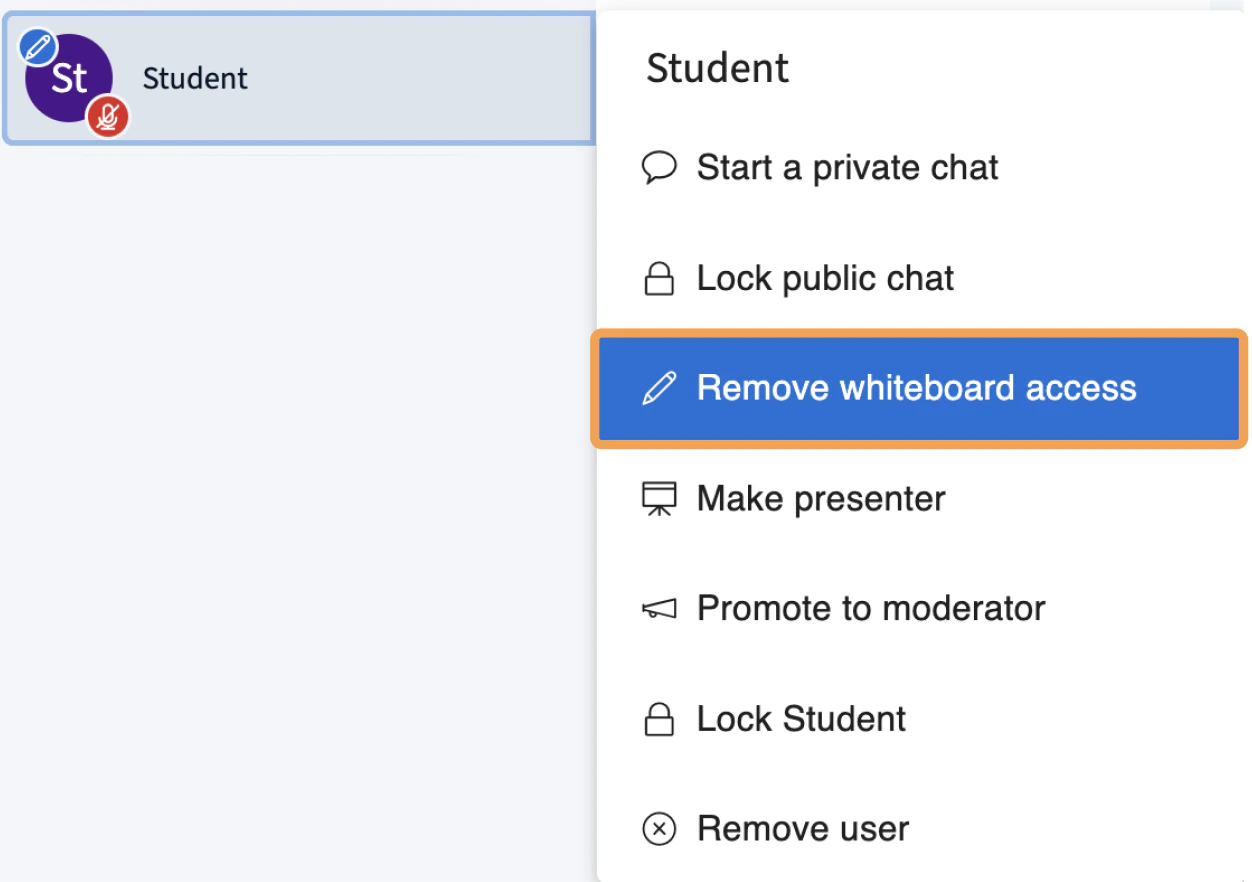
You can also remove individual users’ access by clicking their user name from the list of users and then clicking Remove whiteboard access.